Wednesday, August 31, 2011

Tapping into Creativity

There are six levels of Blooms Taxonomy.  Unfortunately due to the ‘T’ word it is not uncommon to find teachers moving beyond levels 1-3 in hopes of retaining formulas for end of grade test. Moving to levels 4-6 require illustration, supporting and creating.  Today we are going to tap into the higher levels by creating a Storybird.

Storybirds are art-inspired stories that impact everyone from Miss. Smartypants in the front seat to our reluctant readers in the back row.  Here’s how it works:


In science have your students create a Storybird to illustrate the Scientific Method.  Social Studies students can retell the events leading to WWI.  The possibilities are endless for all content areas.

Empower your students to reach their highest high.  Sign up for your free Storybird acount today.

READER RESPONSE: How will you use Storybird in your class?

Tuesday, August 30, 2011

How the heck did you do that?

I believe in learning by doing especially when it comes to performing computer tasks. One of the most beneficial tutorials online are those that offer recordings of users navigating websites, using features in MS Office, etc.  As both a Mac and PC user I found this issue frustrating when my Mac and the Screenflow program are not around.  I am not interesting in spending more money on Camtasia to have this feature on my PC so what is a girl to do?  A girl is to sign up for Jing right away.
I must let you know that Jing and Camtasia are from the same tech gurus.  The major difference is the ability to make polished videos with Camtasia while Jing is very basic.  The upside is that you will get your point across easily.  Here are a few ways to use Jing according to their website:
  • CollaborateCollaborate on a design project
  • CollaborateShare a snapshot of a document
  • NarrateNarrate your vacation photos
  • BugsCapture that pesky bug in action
  • Show HowShow Dad how to use iTunes
  • CommentsComment on students' homework
  • Post TidbitsPost tidbits on Twitter or Facebook
Additionally you can share your video instantly via e-mail, IM, Twitter, blogs, etc.With the addition of Lync on school campuses this is especially good news.  Here is a sample of a web snapshot to start the wheels turning in your noggin.
A picture truly paints a thousand words.  Why not lessen the confusion when adding technology to lesson and use Jing.  Your students will thank you.
READER RESPONSE:  How will you use Jing?

Monday, August 29, 2011

4,400+ Free Books

I bet that title got your attention.  If it did then you should know up front that this post is not about giveaways or a place to steal books and not get caught.  Today as we delve into Week 2 of Best Websites for Educators I want to share a site that can be used for students ages 1-100.

The International Children’s Digital Library (ICDL) provides thousands of books in 54 different languages from around the world.  From well known authors such as Walter Dean Myers to a French folktale favorites, you’ll find all sorts of interesting stories to share with students. 

As a classroom teacher I was a huge fan of using picture books to teach literary elements. With ICDL you now have access to books even when the copy is checked out at the school library media center.  All you need is an LCD projector and a working internet connection to share literature and beautiful artwork with students. 

image Are you a parent wondering how to use ICDL with your child?  Download the free app on your iPad. We have one last summer vacation coming up and I cannot think of a better way to keep Junior entertained and save space in the car. 

ICDL is truly captivating and I hope that you find a way to integrate this into your content for many years to come.

READER RESPONSE: Search for a book on the ICDL site.  Please share how the book is connected to a specific content area.  Think outside the box English teachers.  We need to help our math, science, social studies and elective teachers use this resource in their classes today.

Sunday, August 28, 2011

The Power Point Assassin

We have reached the end of week one in the Best Website for Educator Series: Media Sharing.  The week began with moving us beyond Power Point and onto something more.  The more included Animoto, Voicethread, Wordle, Tagxedo and Glogster.  Today I bring you the game changer and it goes by the name of Prezi. 

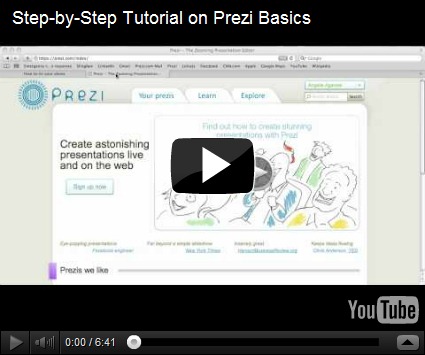
Similar to the other tools featured this week, Prezi allows users to add multimedia to the presentation but goes one stop further and makes it visually stunning. 

I recently discovered a subsection of Prezi dedicated to education.  The site is amazing in that the likelihood of finding a content connection is almost certain.  From Architecture to Technology there are hundreds of Prezis to add to your next lesson.

A word of warning; Prezi can be initially difficult to navigate so please practice prior to presenting it to you munchkins. 

I hope you enjoyed the first week of websites.  However my true wish is for you to use them and share the outcome on this blog in the comments section.

READER RESPONSE: Which of the tools presented are you most likely to use?  Please respond below (not on Facebook, friends).

Next week: Digital Storytelling

Saturday, August 27, 2011

Stop Buying Posters

Remember when teachers assigned poster projects?  Magazine cutouts, glue and glitter…so much glitter littered our dining room table.  Despite the creative factor, poster projects wound up leaving mom’s wallet lighter and a trail of sparkle in our wake.  The good news is that poster projects still exist.  The better news is that now they are better and in the form of a Glog. 

Glogster is a tool to create digital online posters. The true sparkle factor is in Glogster’s ability to create a single page containing audio, video, text, graphics and more.  This past April my students created Poet Glogs to commemorate National Poetry Month.  Here is the sample Glog I created to get the ball rolling:


I must say that my student’s Glogs blew mine out of the water, pass the moon and into another universe.  They were amazing.  If you want to spread the gospel about your munchkins then allow them to razzle dazzle you with Glogster.  I don’t have to tell you that this tool is one that can be used in every content area.  Visit the sample Glogs on their site and get inspired today.  

READER RESPONSE: Tell us what you teach and your idea for a Glogster project.  As always, please paste the link in the COMMENTS section if you used today’s tool to create something fabulous.